Tip of the day, how to add Microsoft Flow Buttons to your Apple iPhone widgets screen. A very quick way of getting work done in my opinion #justswipeleft
Connectors form the core of Microsoft Flow. Connectors allow your workflows to span across different systems. This means that you can quickly build business processes that span across all your systems allowing you to further automate your work.
Microsoft has, as of August 2018, 213 connectors, most are available with the free version of Flow, and some only available with Flow Plan 1 and Flow Plan 2. These are known as Premium connectors.
This article is targeted at developers looking at making the transition as a Dynamics 365 Customer Engagement (or CE for short). Dynamics 365 and the Power Platform (PowerApps, Common Data Service, PowerBI) is really getting a lot of attention at the moment. As organisations become more customer focused, platforms that provide capabilities in customer engagement are becoming more and more important.
The aim of this guide is to provide you with the necessary tools and resources to reduce the learning curve of this often complex platform, understand where to get help when needed, and allow you to focus your learning on areas which will be applicable to you on the job.
It is helpful if you have had exposure to the following before you continue reading:
The October Release notes promises quite a number of key enhancements across all the various Dynamics first party apps. I’ve been geeking it out with my Dynamics colleagues about what’s cool and will share my findings with you in a series of blogs leading up to the October release date.
One notable announcement is that Microsoft Stream support will be coming Dynamics Marketing.
What is Microsoft Stream?
Release in July 2017, Stream will ultimately replace Office 365 Videos. It’s a video streaming service that is built for collaboration across organisations. Notable features include an auto transcription service, facial recognition, out of the box integration with Teams/SharePoint/Other O365 services and soon .. Dynamics 365 Marketing!
How can we use Microsoft Stream in Dynamics Marketing?
With video being the fastest growing medium to reach your customers it makes sense to include this capability within your marketing. It will be available for use within Marketing Pages and Emails, through the editor toolbar where you can add a video content block.
I personally look forward to having my videos within the same Microsoft ecosystem, rather than having disparate services such as YouTube, Vimeo and so on. Also the fact that a lot of these video services are monetised, it would be great to retain control over our video content.
Any comments, suggestions, feedback? Please drop me a message below.
I’ve had several queries from my colleagues in the past couple of months about what they should do about their legacy ADX Studio Portal once official support ends. So decided to summarise all the relevant options and facts surround this in a single blog post and capture it for future reference if others want to understand this further. Most of the information you see here is presented in greater detail on Adoxio and Microsoft’s own websites (links are included below). This will be a (very) quick summary with my analysis and interpretation of the options.
In September 2015 Microsoft announced the acquisition of the Adoxio Inc, the makers of ADX Studio Portals for Dynamics CRM and 365. Break fix support continued to be supported by Microsoft.
However, as of August 1st 2018, Microsoft support for what is known as legacy ADX Studio Portal will be coming to an end.
The SharePoint Upload control was recently introduced to PowerApps, and I want to give a short demonstration of how it can be used. Firstly a little more information about the upload control.
The upload control has the following properties:
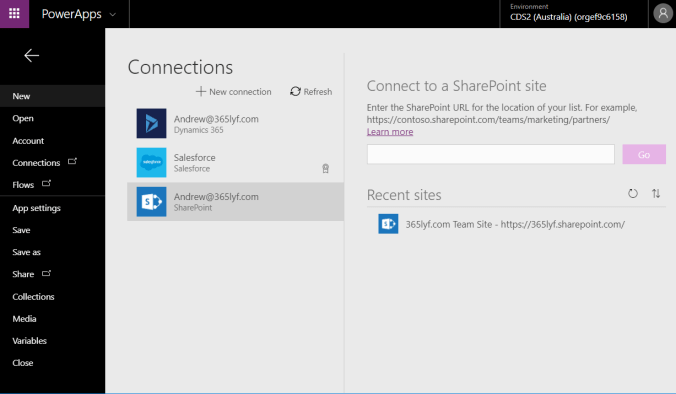
Here are the steps to get started with Upload Controls:


So as you can see it’s pretty simple to use, and works exactly as described. I look forward to further improvements to the upload control from Microsoft. If you have any feedback about this control, or something didn’t go exactly as you expected deploying your control, please do drop me a comment below and I will try to get back to you as soon as possible.
Additional Resources:
PowerApps has certainly come a long way, and no doubt the innovation and investment in the latest release will change the way businesses operate in the future. This is a major update, and there is a lot to get your head around – so I decided to give a detailed summary of the changes in the latest release of PowerApps (Spring Release 2018) in the form of a short 10 minute video.
If you have any questions on PowerApps, please do comment below and i’ll endeavour to come back to you with some answers.
I wanted to show customers how quickly they can set up the new Microsoft Dynamics 365 App for Outlook, and so decided to write a very quick 5 step guide to show how you can get started in minutes.
The new Microsoft Dynamics 365 App for Outlook replaces the outgoing Microsoft Dynamics 365 for Outlook client. Yes, this might be confusing having two very similarly named outlook connectors but this won’t be an issue going forward as the client is deprecated.
I’ll write a separate blog about the benefits of the new Dynamics 365 App for Outlook, for which there are many, but the intention of this blog is to show how streamlined the new installation experience is and also to get you started immediately.
Microsoft have released the new 9.0.2 version, and the release notes should be live in the next 24 hours. (Update release notes are now available: https://aka.ms/businessappsreleasenotes 18.1mb).
Here’s more about what’s new in 9.0.2.
It’s been a while since I wrote a professional development post and I’ve been somewhat inspired by the MVP Summit to blog about my personal experiences. So here we go:
What it’s like working as a Pre-Sales Solutions Architect?
First off, a Pre-Sales Solutions Architect is involved in vetting opportunities, establishing the technology architecture in which the commercials are based upon, and presenting the solution to internal stakeholders and customers. Good pre-sales architects work in a team and have excellent contacts both internally and with their partner vendors. Yes it can be very process driven, and there’s a lot commercially riding on a proposal but it’s what keeps the steam engine rolling in an organisation and it does have its own satisfaction if done correctly. So listen on if you’re still intrigued.
© 2026 365lyf.com
Theme by Anders Noren — Up ↑